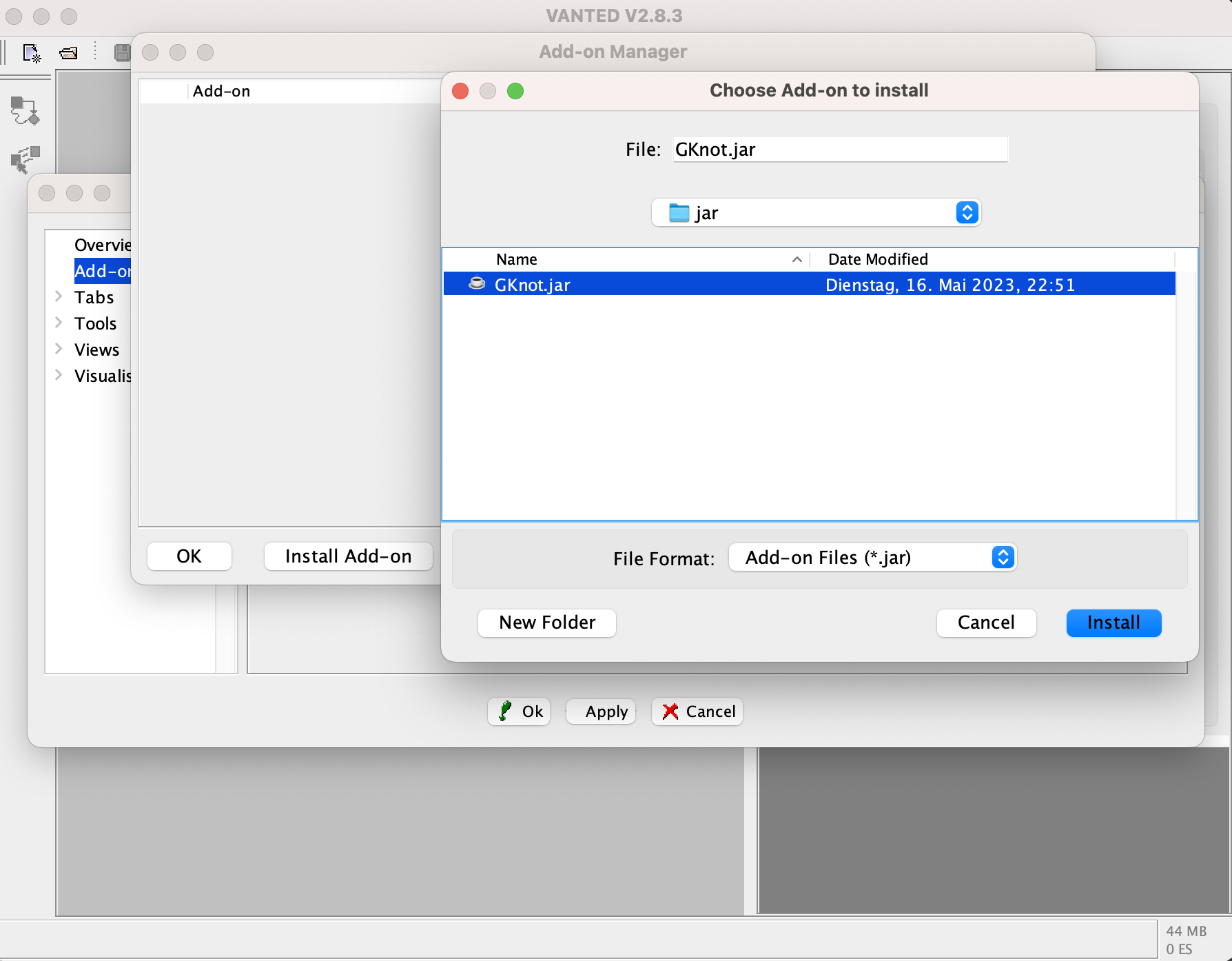
Steps for installing GKnot
Step 0: Install JAVA and VANTED
In order to execute the software you first need to download and install the latest Version of the Java runtime environment (JRE).
After that you need to install the latest Version of VANTED onto your device.
Step 1: Download the add-on.
Then you need to download the latest version of the GKnot add-on.
Step 2: Install the add-on.
There are two different ways to install the add-on.
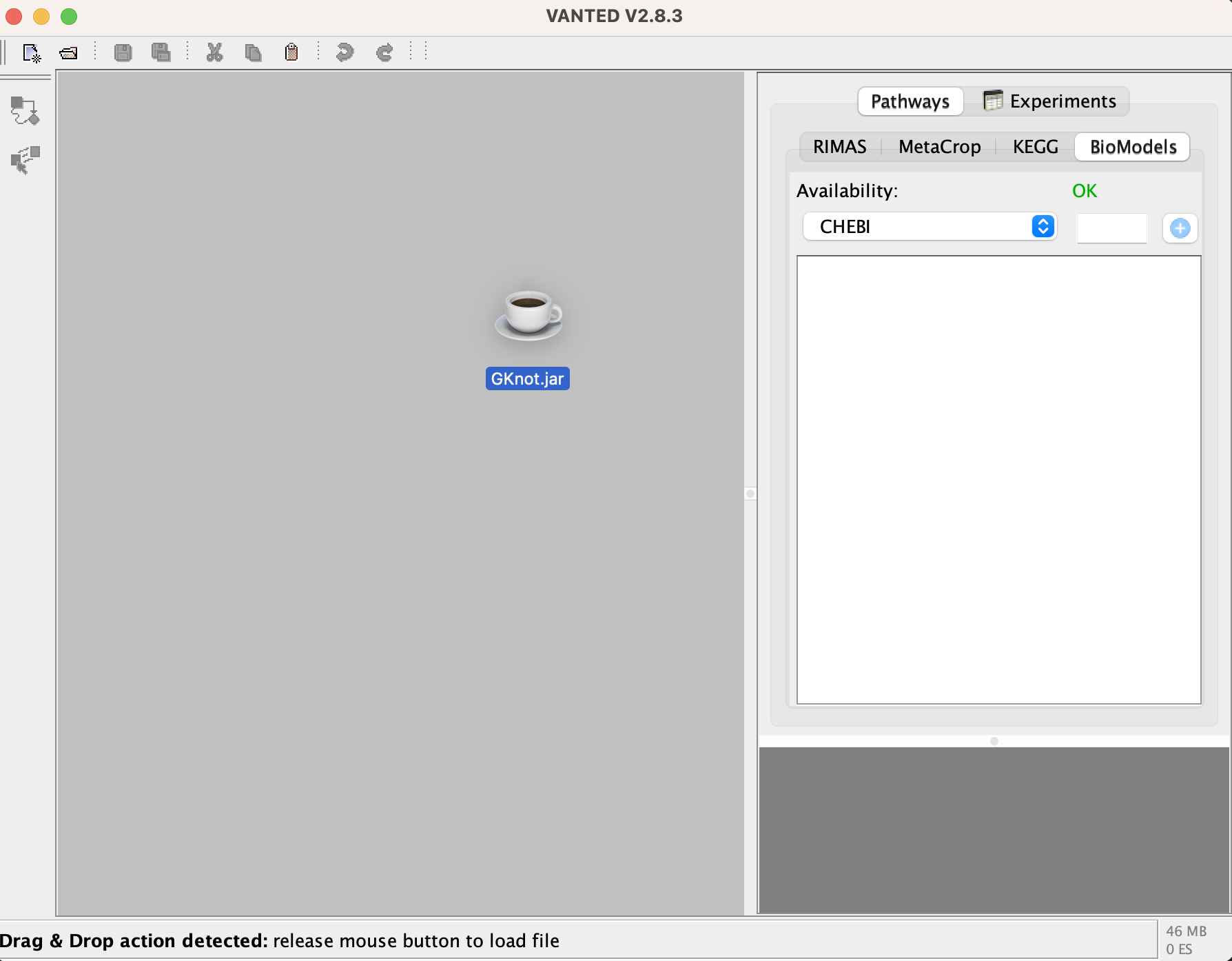
Drag & Drop
The first and easiest way is via dragging and dopping the downloaded file directly into VANTED as shown below.
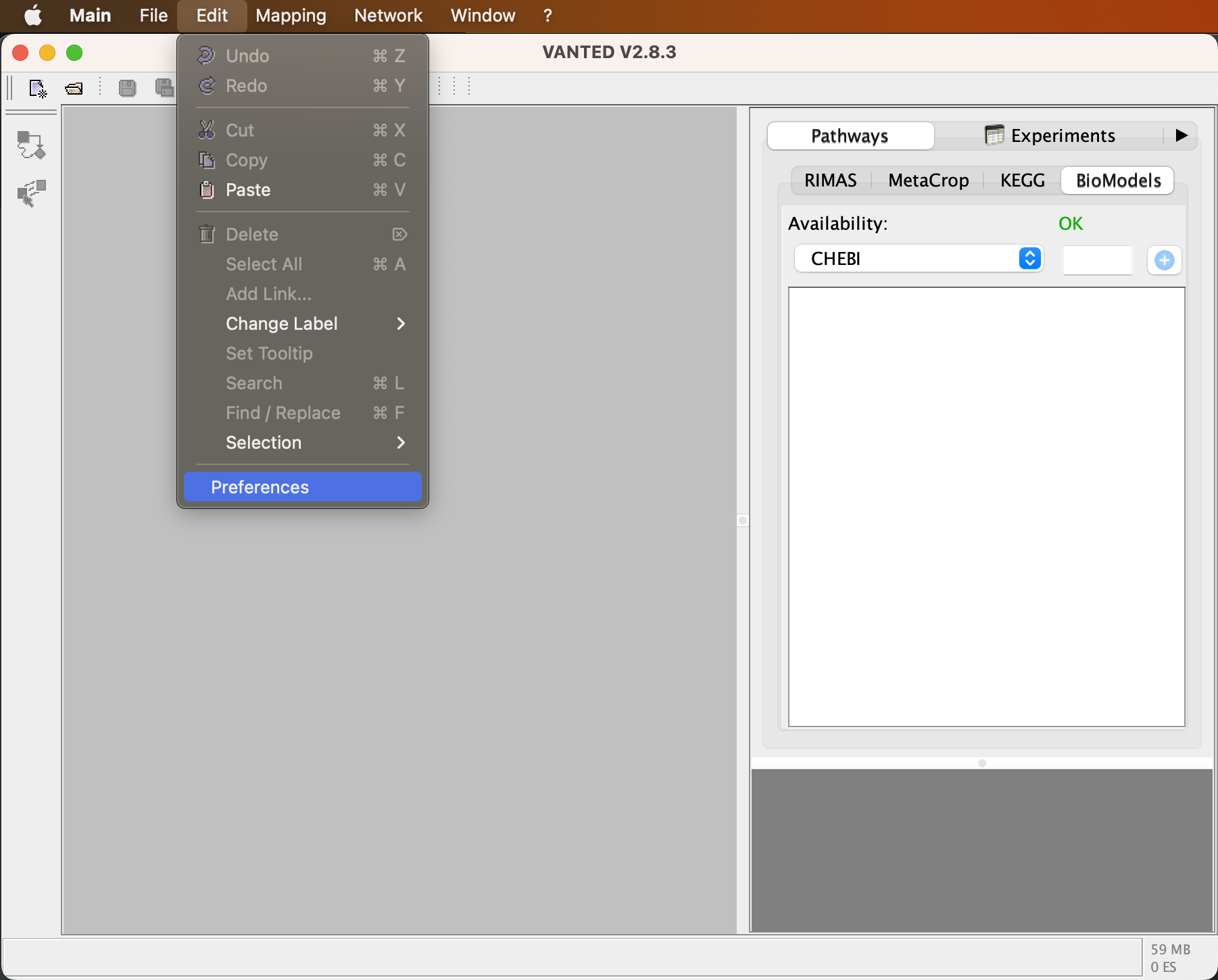
Prefrences
Alternatively you can go into Prefrences.
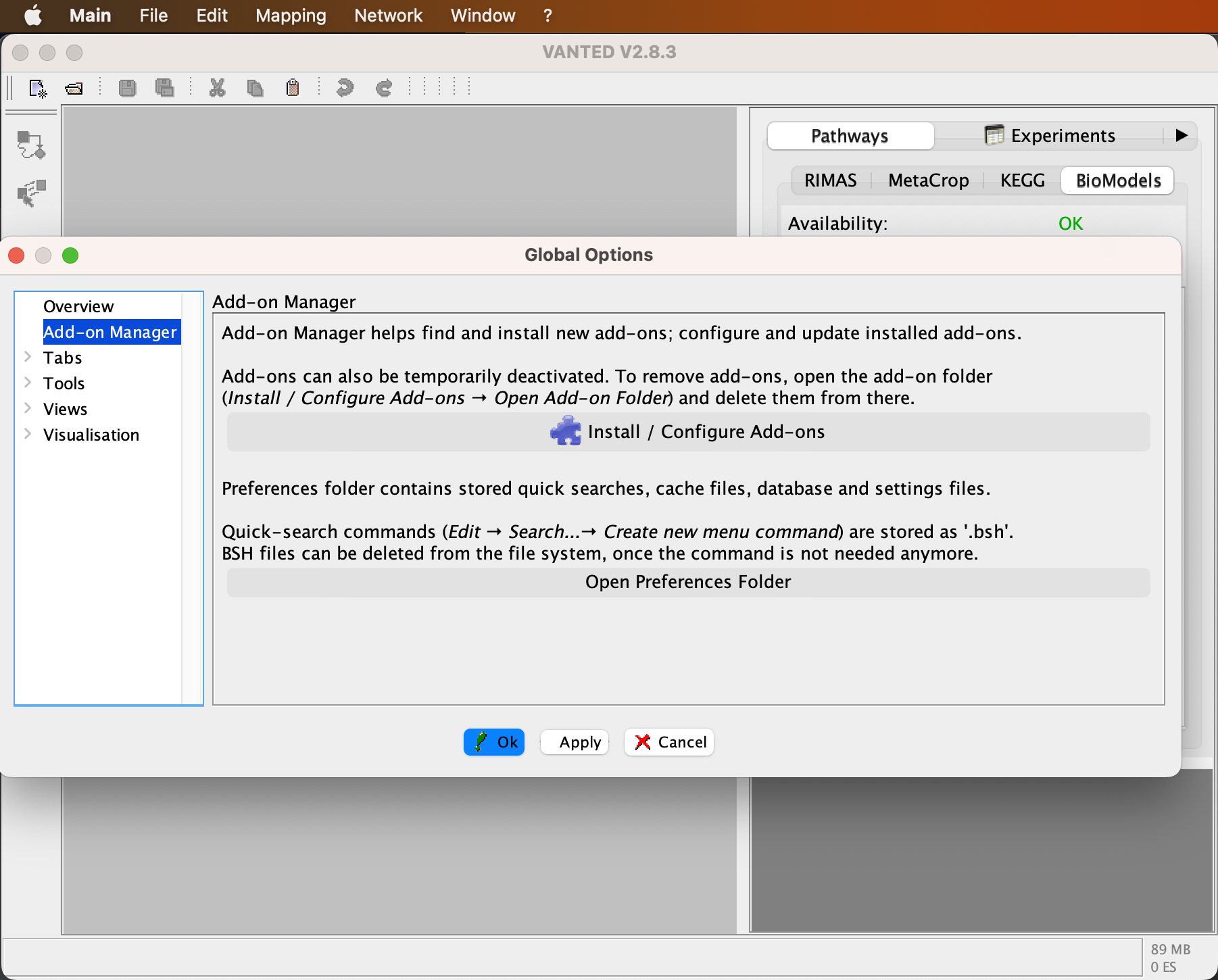
In the 'Prefrences' you click on 'Add-on Manager' and then 'Install / Configure Add-ons'.
Lastly, you click on Install Add-On, select the file 'GKnot.jar' and press 'Install'.